Clever AI Humanizer Review: Before and After Text Examples
Clever AI Humanizer can loosen stiff AI prose without filling it with fake mistakes. The output still needs a careful trim, especially where wording or facts must stay exact.
Clever AI Humanizer is a good free first pass for robotic blog copy, emails, summaries, plus basic academic prose. Published benchmark results show strong GPTZero performance, though results vary across detectors plus the rewrite may become roughly 16% longer.
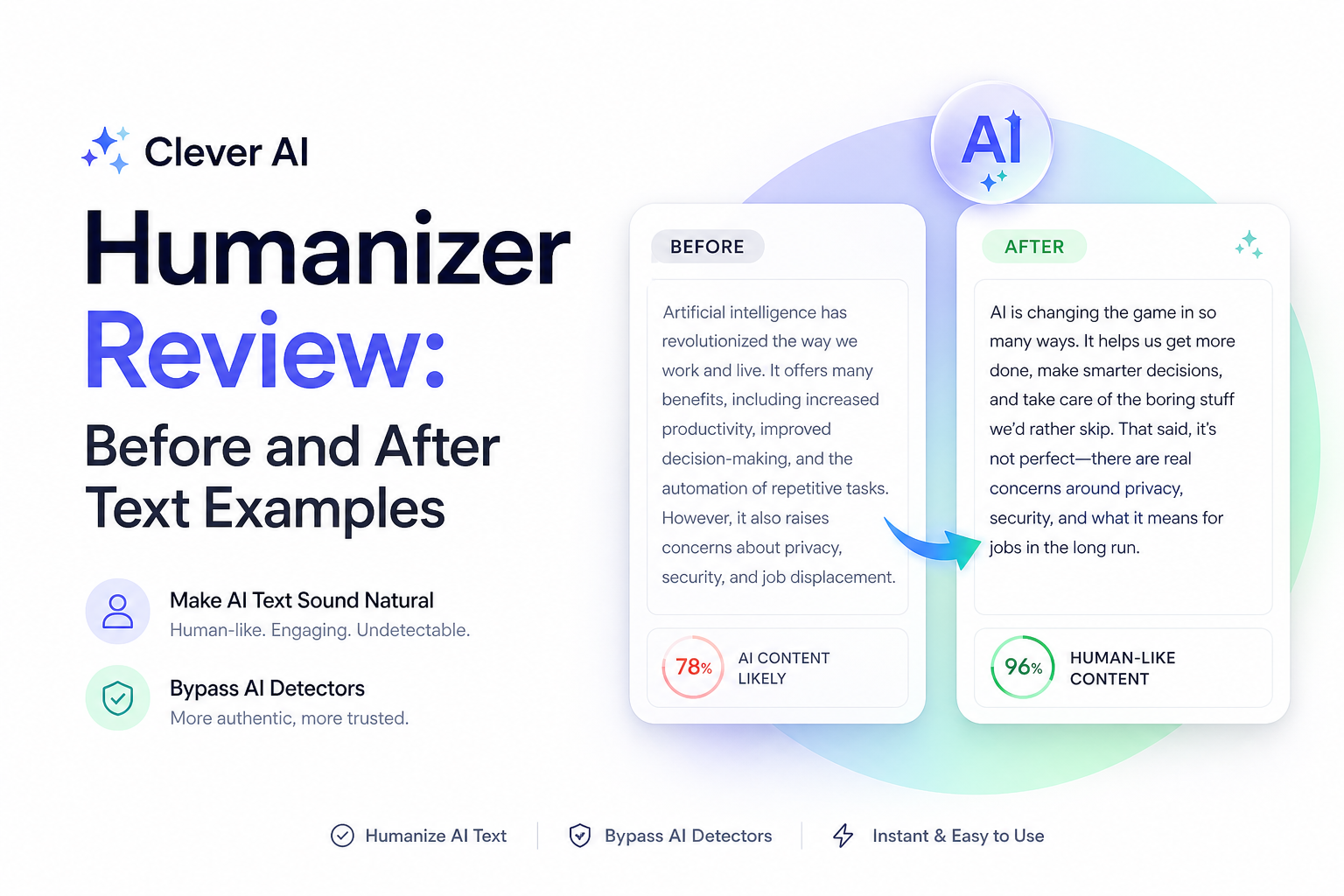
Clever AI Humanizer at a Glance
8.1/10Clever AI Humanizer is a browser-based editor that reshapes stiff AI-generated text. It adjusts phrasing, sentence structure, plus tone while trying to retain the original point.
Best forBloggers, freelancers, job seekers, plus office workers cleaning up low-risk AI drafts
- Normal rewrite mode
- Highlighted text changes
- English or Spanish input listed
- File upload from the editor
- Up to 3,000 words per request
- Completely free to use
- Clean browser workflow
- Good published GPTZero performance
- Can add extra words
- Detector results vary
- Capacity may run out
How We Reviewed Clever AI Humanizer in July 2026
We inspected the live editor, its word limits, available controls, pricing claims, language notes, plus current capacity behavior. Since the service displayed a processing-capacity warning during the review window, output performance was checked against the linked Reddit benchmark, which reports tests across GPTZero, ZeroGPT, plus Originality.
Scores prioritize readable prose over detector evasion. We also marked down meaning retention where published testing showed content changes, plus workflow reliability where the live service or recent user reports showed unavailable capacity or changing features.
When Clever AI Humanizer Is the Wrong Editing Tool
Do not use a humanizer as a substitute for original research, personal experience, or subject knowledge. It cannot verify a statistic, repair a weak argument, or give generic text a genuine point of view.
Avoid it for passages containing exact legal language, clinical instructions, source quotations, formulas, code, contract terms, or tightly controlled brand copy. Standard track changes plus a human editor are safer when every word carries weight.
How Clever AI Humanizer Scored Across Our Review Criteria
| Category | Performance | Score |
|---|---|---|
| 01 Rewrite Quality | 8.6/10 | |
| 02 Meaning Retention | 7.6/10 | |
| 03 Detector Consistency | 7.4/10 | |
| 04 Editing Workflow | 8.2/10 | |
| 05 Free Access | 9.2/10 |
Clever AI Humanizer Rewrite Quality, Limits, Plus Before-and-After Examples
01 Rewrite Quality
Cleaner rhythm without deliberate errors
8.6/10
Rewrite Quality
Cleaner rhythm without deliberate errors
Clever AI Humanizer focuses on sentence rhythm, phrasing, plus tone rather than tossing in misspellings. The result is usually easier to read than the output from tools that chase detector scores by damaging grammar.
Here is a simple before-style example: “The implementation of remote work policies provides numerous benefits for organizations.” A useful humanized version would read closer to: “Remote work policies can make life easier for a company, though the payoff depends on how the policy is set up.” The second version is less stiff, more specific, plus easier to say aloud. Treat this as an illustration of the editing pattern, not a guaranteed word-for-word result.
- Varies sentence length without obvious gimmicks
- Keeps grammar fairly clean
- Handles ordinary blog copy well
- Produces readable formal prose
- Can retain a polished AI-like rhythm
- Long passages may gain unnecessary explanation

02 Meaning Retention
Mostly faithful, though details need checking
7.6/10
Meaning Retention
Mostly faithful, though details need checking
The rewrite generally follows the source, but “humanizing” is still a generative edit. A published Reddit benchmark gave content matching 14.6 out of 20. That is decent rather than precise.
Consider this before-style sentence: “The trial lasted six weeks, with surveys collected every Friday.” A safe revision must preserve both six weeks plus Friday collection. If either detail becomes vague, the smoother tone is not worth the factual drift. Names, dates, citations, quotes, prices, plus technical conditions deserve a side-by-side check.
- Usually preserves the main point
- Works well on low-risk general prose
- Change highlighting helps with comparison
- May soften precise qualifications
- Not dependable enough for unreviewed technical copy
- Can expand a concise point
03 Detector Consistency
Strong on one checker, mixed on others
7.4/10
Detector Consistency
Strong on one checker, mixed on others
The most useful public benchmark tested Normal mode across several detectors. It reported 9.6% average AI on GPTZero, compared with 37.3% on ZeroGPT plus 34.6% on Originality. A stricter combined GPTZero plus Originality check passed 65% of the time.
Those gaps are the reason we would not call any output “undetectable.” Detector scores can conflict even when readers find the same paragraph perfectly normal. Judge the revision on accuracy, voice, plus readability first.
- Very good published GPTZero result
- Does not rely on forced typos
- Output remains readable while patterns change
- Results differ sharply by detector
- No guaranteed Turnitin outcome
- Detector updates can change performance overnight
04 Editing Workflow
Simple controls with occasional capacity trouble
8.2/10
Editing Workflow
Simple controls with occasional capacity trouble
The browser editor has a low-friction setup: paste at least 30 words, select a style, run the rewrite, inspect highlighted changes, then copy the result. File upload is available from the main editor. Each request accepts up to 3,000 words.
The weak spot is service stability. During our July 2026 review, the page displayed a daily processing-capacity message. A recent Reddit report also described temporarily unavailable style options plus reduced language behavior. Free access is nice, though it is less useful when the queue is full.
- No software installation
- Change highlighting supports proofreading
- Up to 3,000 words per request
- Few steps from paste to copy
- Processing can stop when daily capacity is exhausted
- Current style availability may change
- No firm turnaround promise
05 Free Access
No paid tier or fixed monthly allowance
9.2/10
Free Access
No paid tier or fixed monthly allowance
Clever AI Humanizer costs $0. The current site lists no ads, no paywall, no fixed monthly word allowance, plus a 3,000-word maximum per request. Use remains subject to processing availability.
There is no premium plan to unlock better output, which makes the value unusually straightforward. The tradeoff is that free capacity may run out for the day. Anyone facing a deadline should avoid relying on it as the only available editor.
- Full web tool costs $0
- No fixed monthly word allowance
- No subscription decision
- No premium output tier
- Free capacity is not guaranteed at a given moment
- No paid priority option for urgent work
What Reddit Users Report About Clever AI Humanizer
The thread author rated it as the best free option in a broad benchmark, praising its balance of readable output plus low GPTZero scores. The same review found weaker ZeroGPT performance plus some content drift.
One commenter said their result was detected as 100%, showing that a successful benchmark does not carry over to every passage or checker.
Another user suggested processing one paragraph or a couple of sentences at a time, then manually restoring anything missing from the rewrite.
A July 2026 user reported that several style options appeared unavailable plus non-English input no longer behaved as expected after a recent site change.
Should You Use Clever AI Humanizer?
Clever AI Humanizer is worth trying if a decent draft sounds rigid, repetitive, or too uniformly polished. It suits blogs, routine emails, cover letters, plus other text where you can check the rewrite yourself. Skip it for unreviewed academic submissions, legal wording, medical material, quotations, or technical documentation where a small wording change could alter the meaning.
Rewrite one paragraph first, compare every fact with the source, then read the result aloud before processing the rest.